
The problem
A fiber trunk assembly is defined by its fiber count, its length, its connector configuration on each end, and the purchase order line it was bought against. Two reels can look identical on the rack and be different parts. The difference is printed on a label wrapped around the flange.
The warehouse held several thousand reels across two bays. The record of what was where lived in a spreadsheet that had been passed between people and typed from memory. Finding a specific reel meant walking the racks and reading labels. Confirming a shipment meant trusting a row nobody had checked.
When the wrong reel ships, a crew waits at a data center for the right cable.
What I built
One web application on a single server at the site, used from a phone browser. There is nothing to install and no per-seat licence. It covers the four things that happen to a reel in the building:
Walkthrough
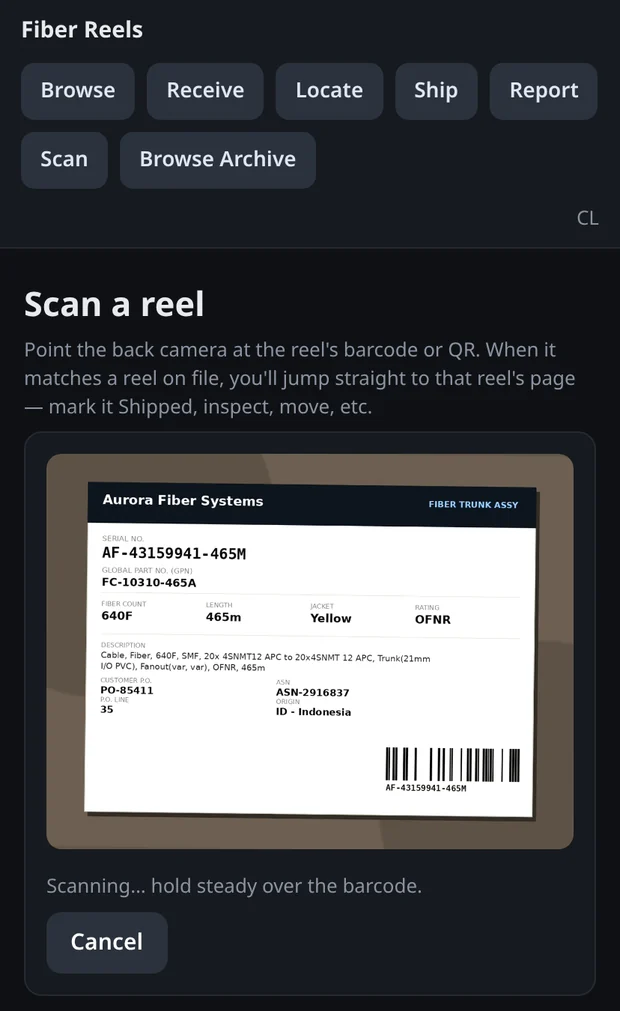
The operator walks the rack with a phone. The camera runs in the browser. Frame the label and tap once. There is no form to fill in first, because at this point the reel has not been identified.
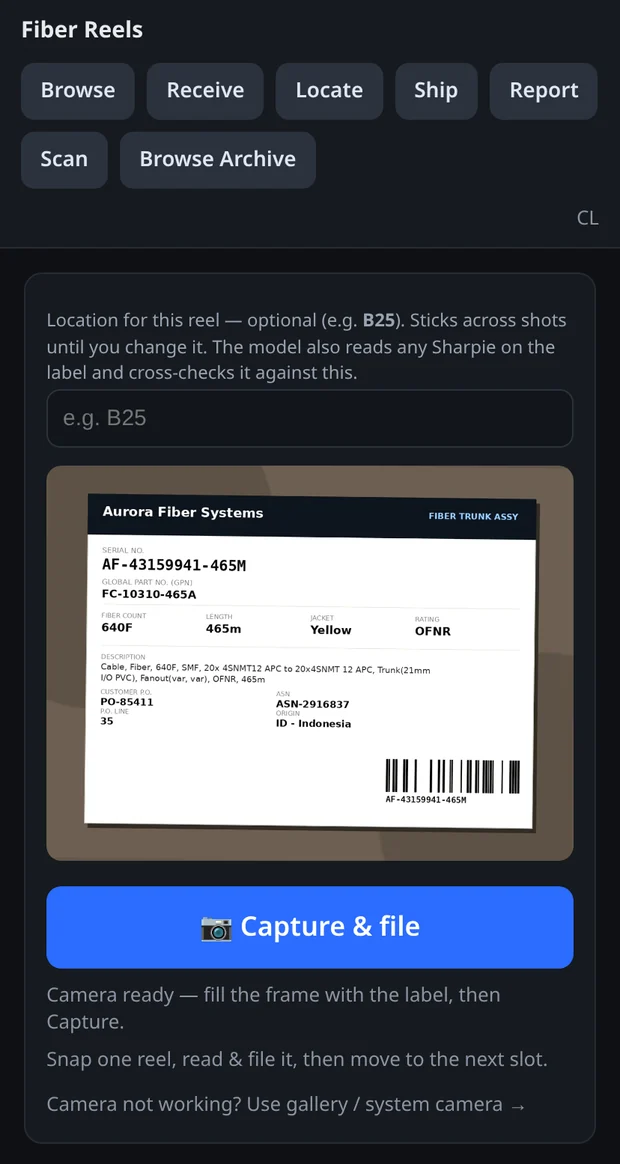
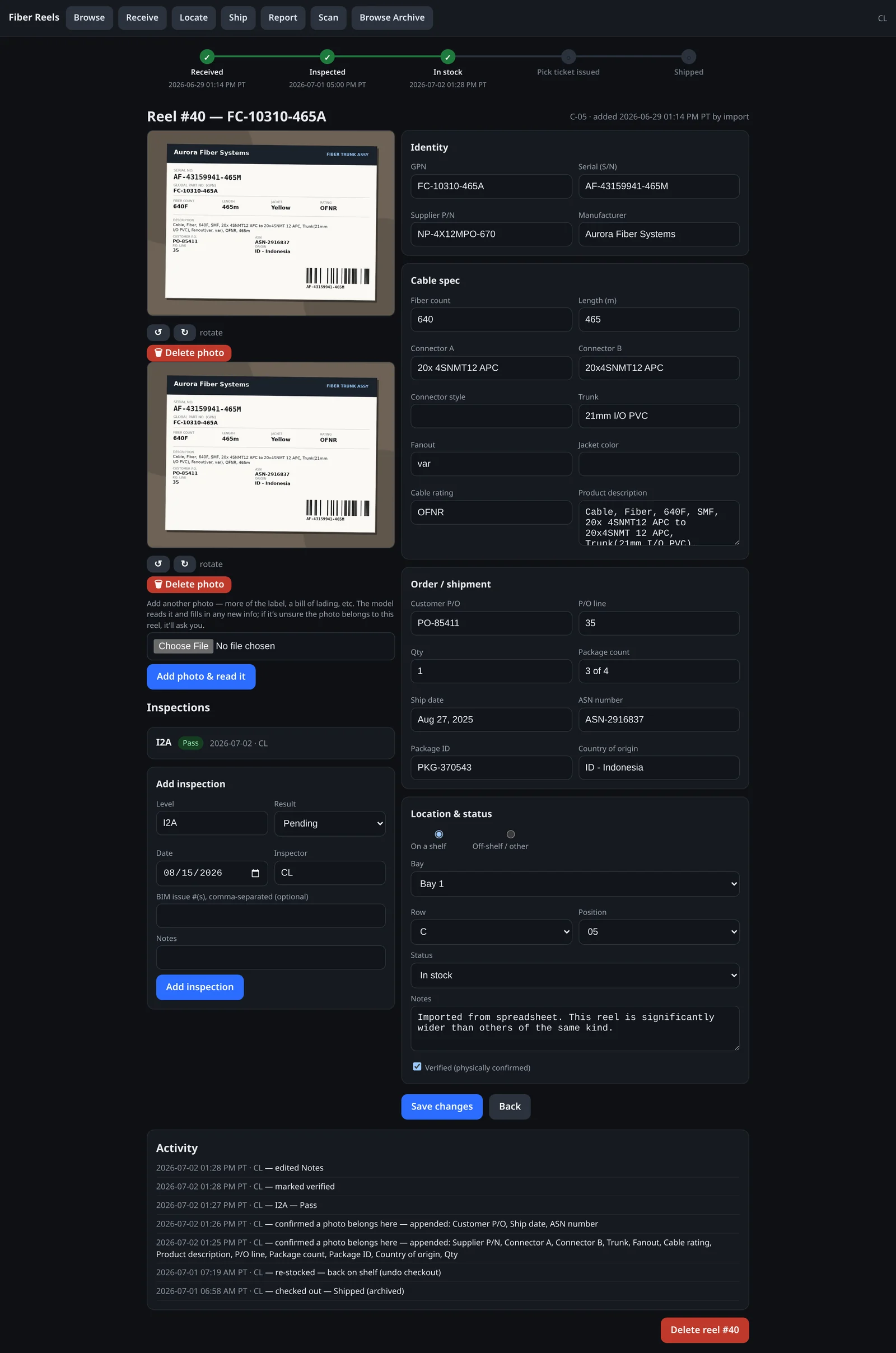
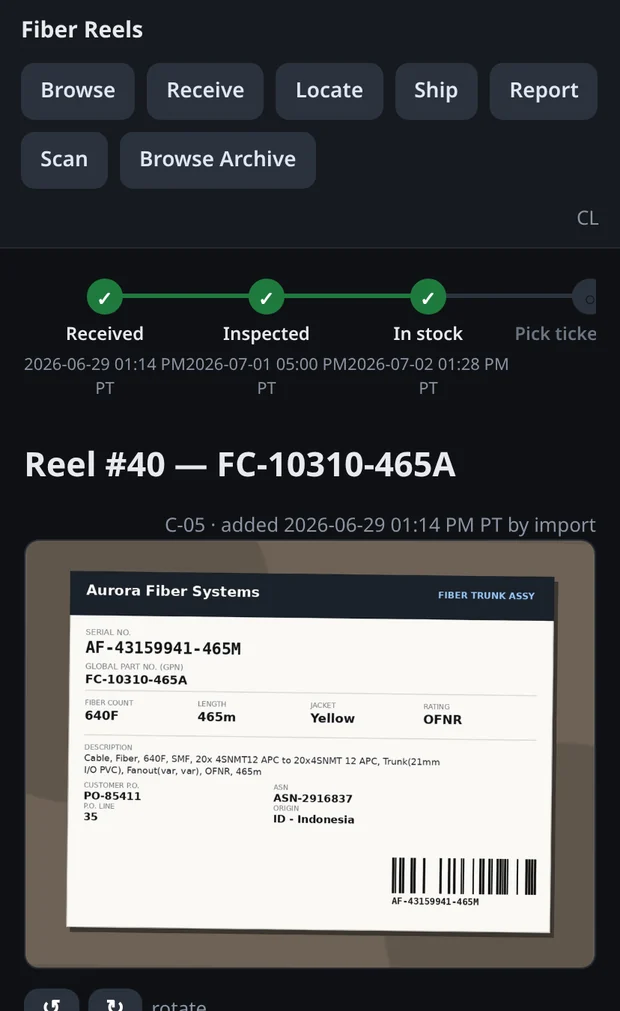
The photo goes to a vision model, which returns the label as structured fields: serial, part number, fiber count, length, connector configuration on each end, purchase order and line, shipment number, country of origin. Barcodes and QR codes in the frame are decoded separately and checked against what the model read.
One photograph produces a complete record. The photo stays attached to that record, so the source is one tap away if a number is questioned later.
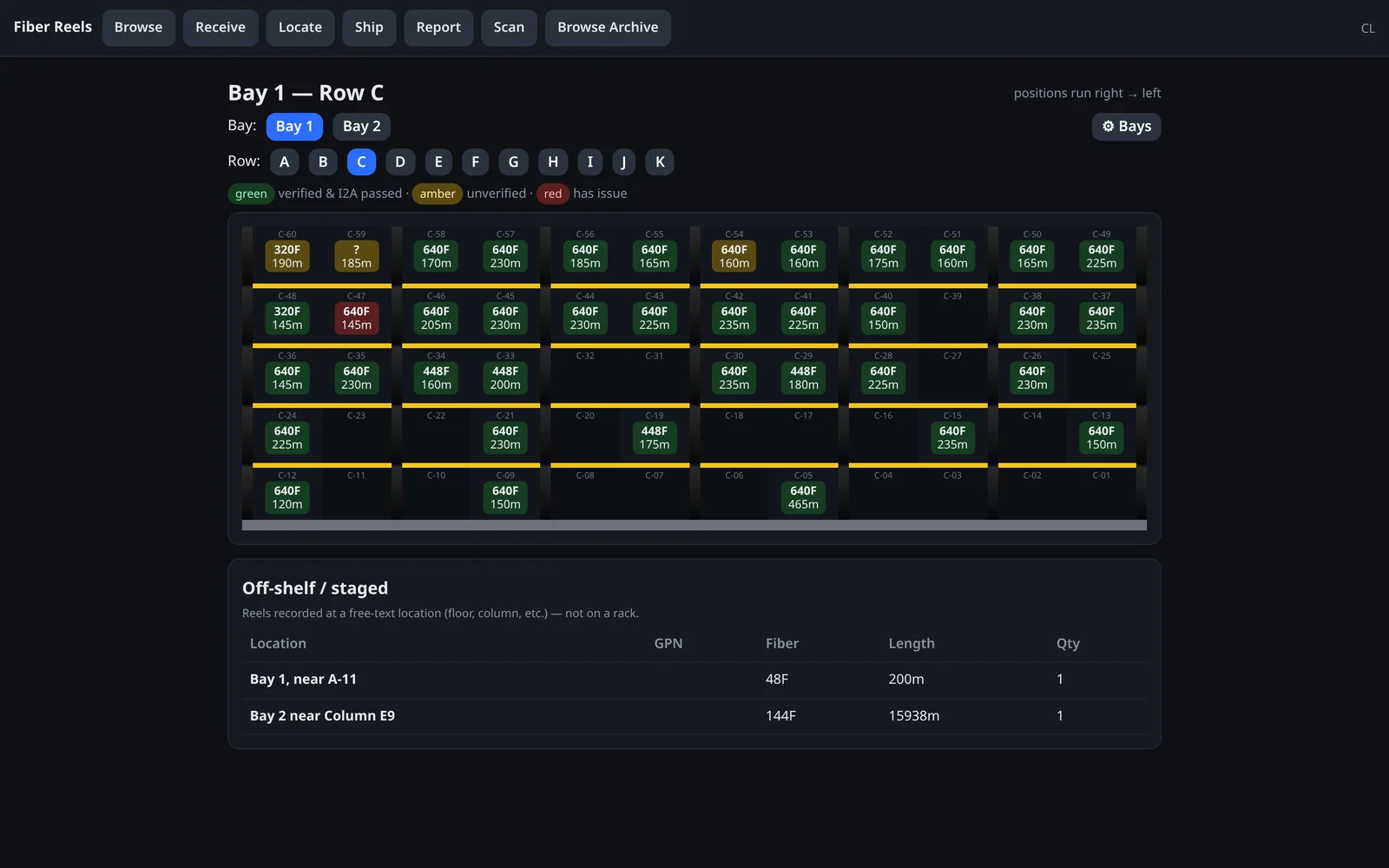
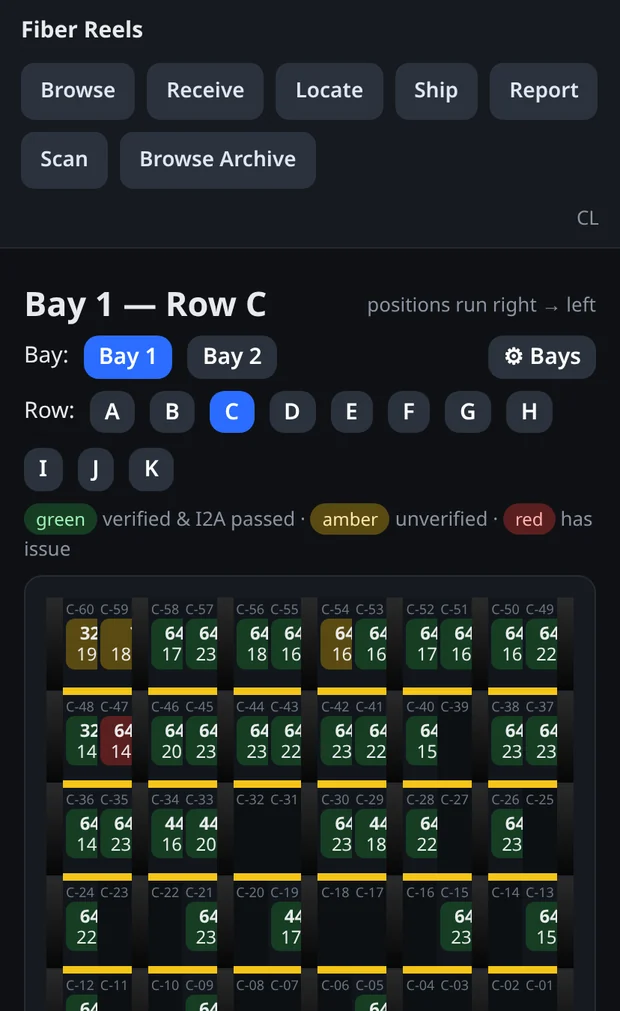
Each row of racking is drawn as it stands in the building: five tiers, twelve slots per tier, with the uprights and beams in place. Green is verified and inspected. Amber came from the old spreadsheet and has not been physically confirmed. Red has an open issue.
Rows alternate direction, because that is how the warehouse numbers them. Odd rows run right to left, even rows run left to right. The grid matches the building.
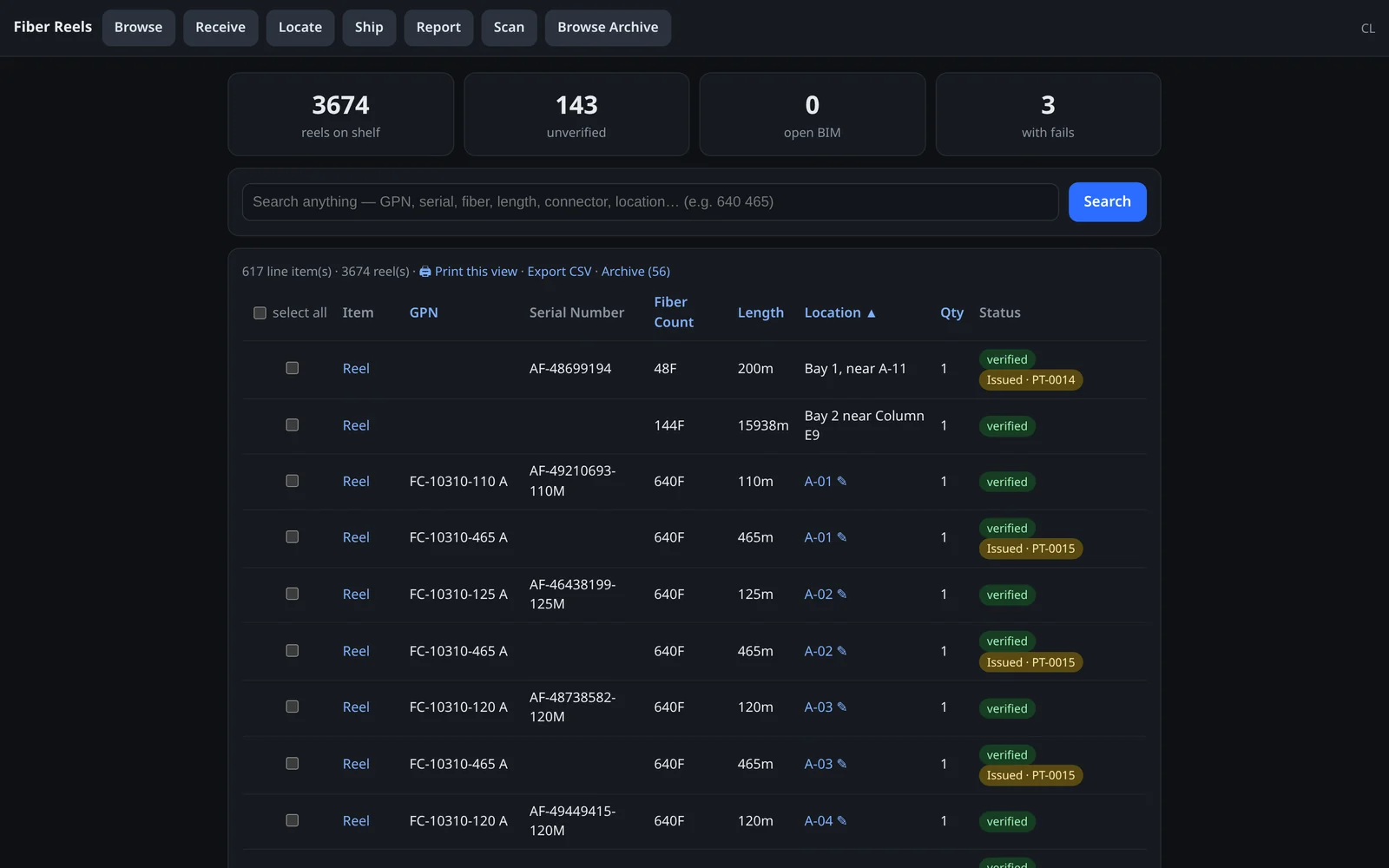
One search box covers every field: part number, serial, purchase order, description, location, or a bare “640 465” for a 640-fiber reel at 465 metres. Results group by shelf position, and anything already committed to a shipment is flagged so it does not get promised twice.
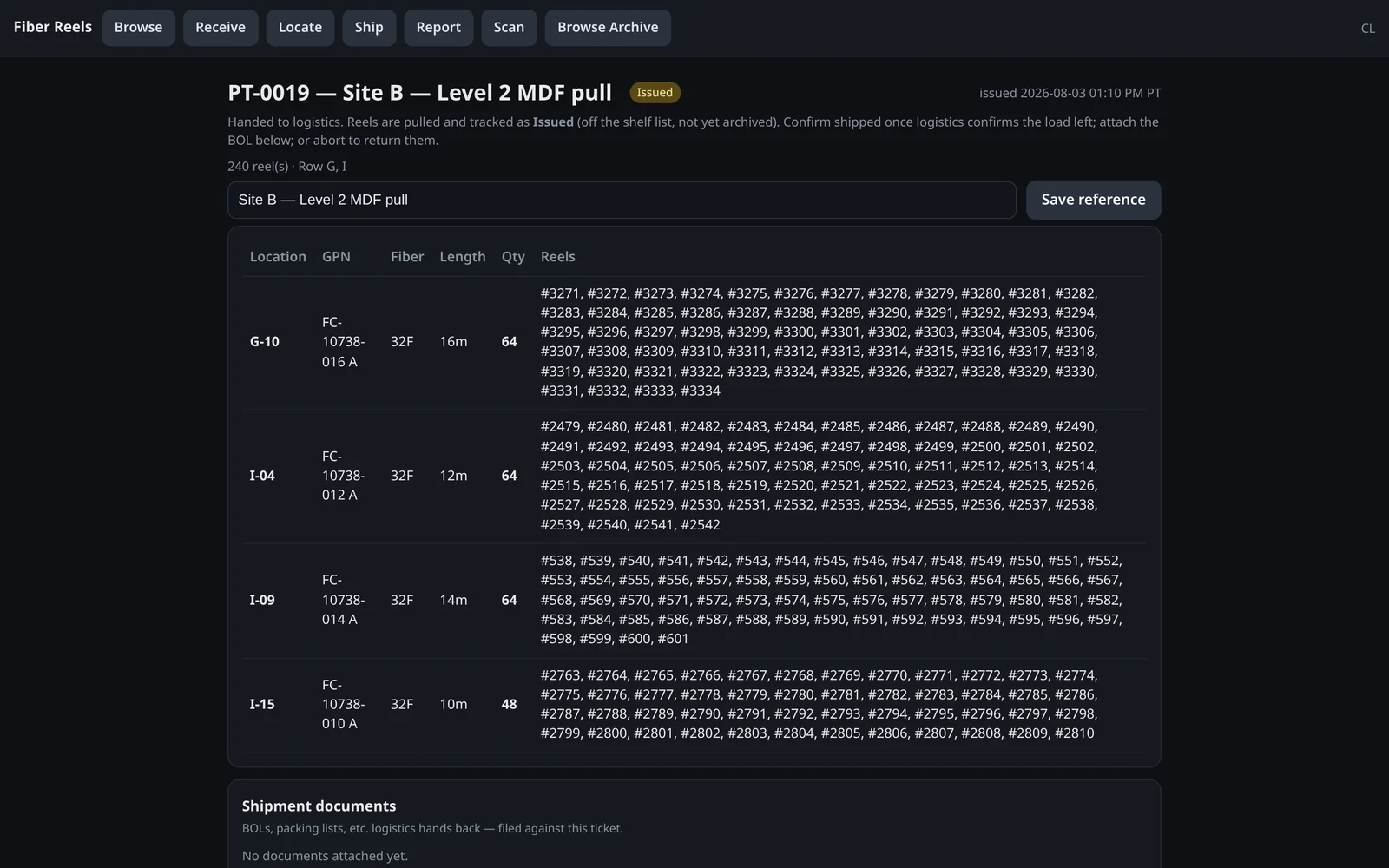
Reels are selected into a pick ticket that prints as a pull list ordered by shelf position, so the picker walks the rack once. A ticket moves through draft, issued, and shipped. Issued reels come off the available list straight away and are archived once logistics confirms the load left. Aborting a ticket returns everything to stock.
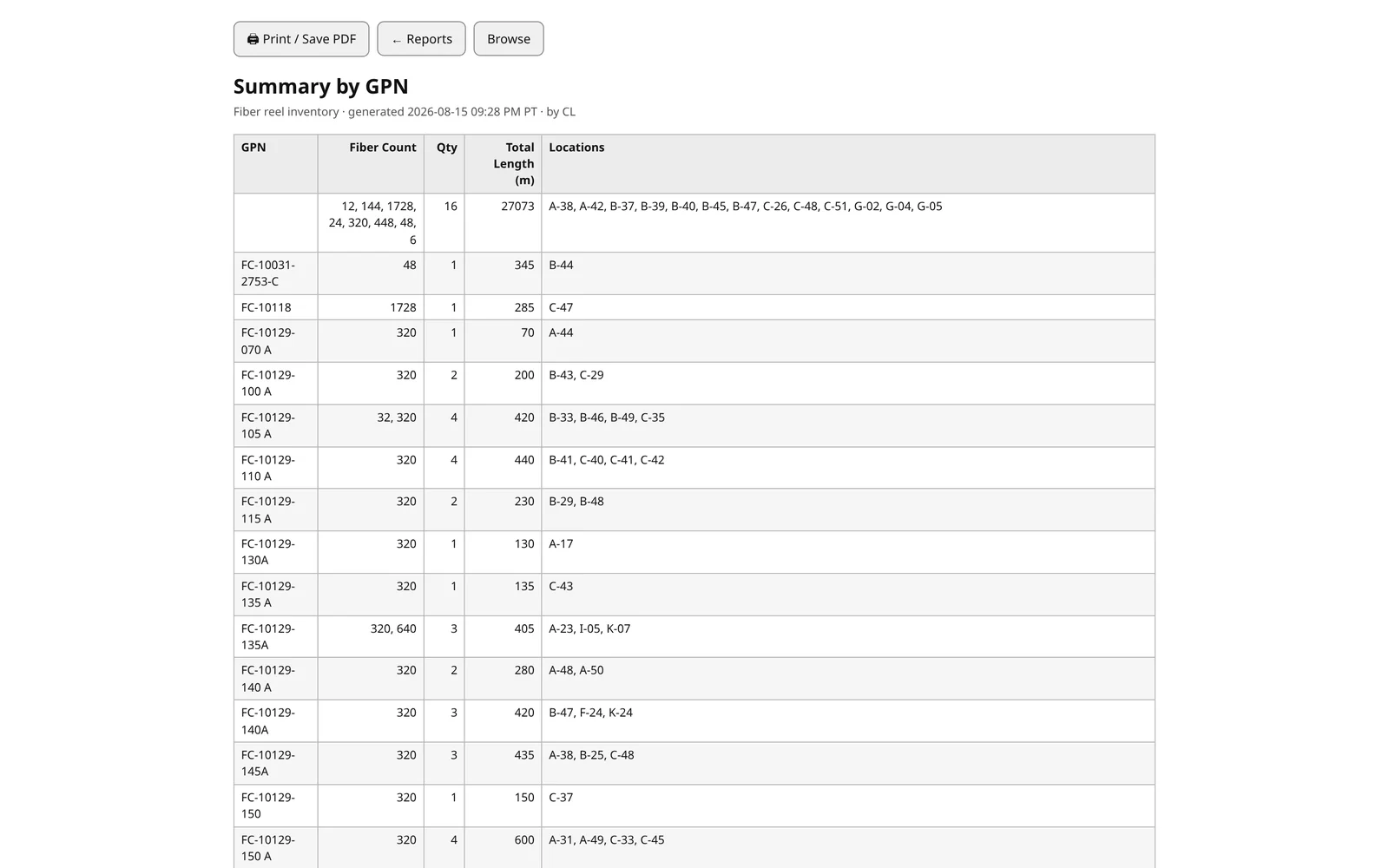
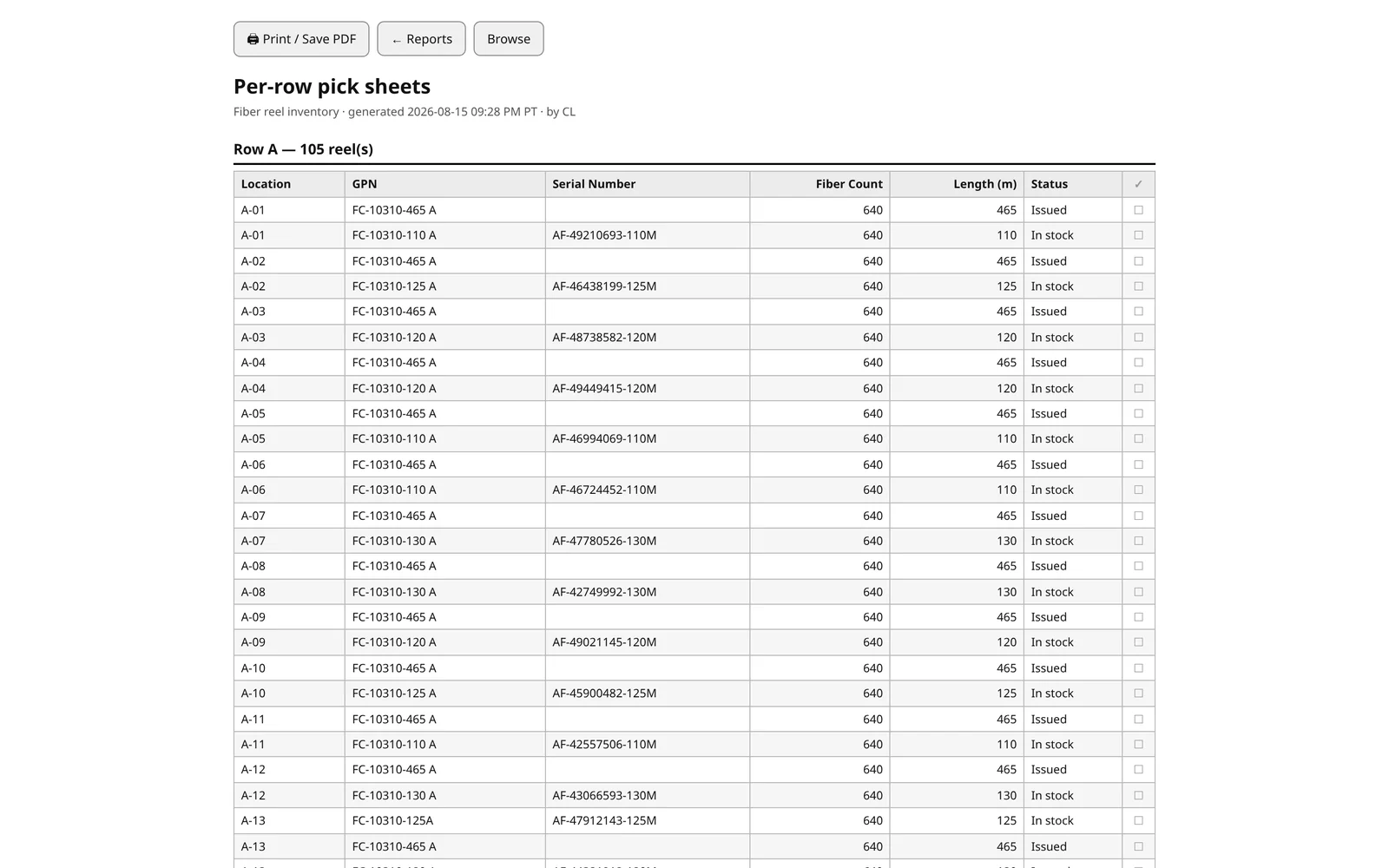
Some of the people who need the inventory have no access to the system, and some want paper. There are printable summaries by part number and by location, per-row pick sheets, and a CSV export.
Used on a phone
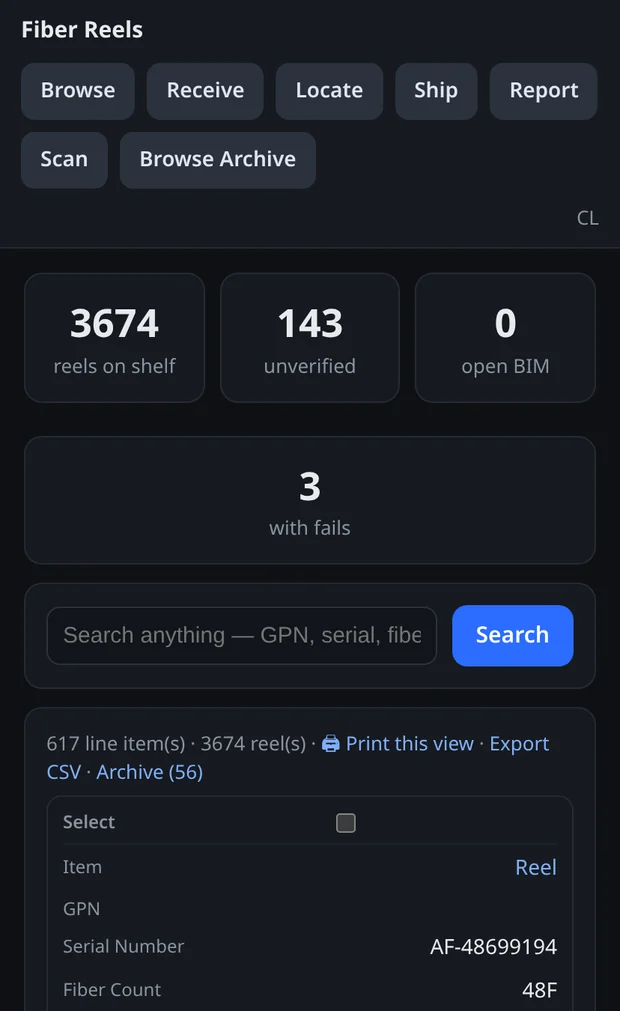
Every screen works at phone width. The warehouse opens a browser at the rack and the office opens the same address on a monitor.
Details that make it usable
Most of the effort went into matching how the crew already works.
Locations use the team’s names
The racks have tiers and slots internally. The team says “B-25”, so that is what the interface shows.
Re-photographing appends
Shooting a reel that already exists fills in its blank fields and marks it verified. There is no duplicate record and no dialog to answer while holding a phone at the rack.
Imported rows stay marked
Rows carried over from the old spreadsheet show as unverified until somebody stands in front of the reel.
Everything is logged
Every edit, move, inspection, and status change is recorded against the reel with a name and a timestamp.
Saving opens the next reel
Saving a reel opens the next one by shelf order, so a row can be worked end to end without going back to a list.
Extraction gets checked
Fields stay editable and the source photo stays attached. A person confirms the record.
Under the hood
One Python application, one database file, one server. There is no build step, no JavaScript framework and no container orchestration. It can be handed over without a specialist to keep it running.
What this means for your project
Most warehouses, yards and jobsites run something on a spreadsheet like the one this replaced. When it fails, it shows up as a delay on site.
I built this having worked in the building. I know what a fiber trunk assembly is, and why an inspected reel and an imported row have to be told apart. The same approach works for inspection records, material tracking, quality documentation or a submittal log.
Have a process that lives in a spreadsheet?
Tell me what it tracks and where it breaks down. I will tell you whether custom software is worth it, and what it would take.
See how this works for your business